Beyond the Baton: Designing Educational Experiences with UX
How my experience designing substitute lesson plans as a band teacher was actually my first foray into UX design — before I even knew what UX was.
Introduction: From Teacher to Designer
Before becoming a UX designer, I was a middle school band teacher. One of the most tedious parts of being a teacher for me was trying to write substitute plans for days that I was out. If I was out, my classes were often covered by someone who did not know how to lead a rehearsal or play any of the instruments that my students were learning. Because of this knowledge gap, I needed lesson plans that met the following requirements:
- The lessons needed to be related to the content, but could not involve playing their actual instruments while I was not there to supervise and help.
- They should be assigned through their digital classroom (Schoology) for easy distribution, collection, and monitoring of their progress.
- Students needed to be able to complete their assignments independently or in small groups.
- The content needed to be engaging to students so that they were kept busy for 60–85 minutes.
These requirements required me to think deeply about my students and their experiences. What technology did they have available to them? What music topics would keep them engaged? What is their motivation to complete the assignment? How can I make this easy for whoever is taking over my class?
I have always loved designing things for fun in Canva or Google Slides, and the need for sub plans gave me the perfect opportunity to design something fun. These lessons have been refined over the years of new students completing them and giving me feedback.
UX is all about designing products that solve problems for your users. In this case, my users are my students, the substitute teacher, and myself as a teacher. Designing these lessons was my first mini-foray into UX before I even knew what UX was!
In this post, I will share some of my favorite lessons I created and how they solved my problems and met my requirements.
Tier List Listening Assignment
 I edited the HTML on YouTube to create this for the title page of my slides. The kids lost their mind when they thought I had 10.4 Million subscribers 😂
One of my favorite assignments I created for students was this “Tier List Listening Assignment.” At the time, ranking various games, movies, TV shows — anything you could really think of (my personal favorite is Tyler Oakley’s potato tier list ranking) — was hugely popular online. I was hoping that this assignment would feel #relatable to students and let them experience the music content in a new way.
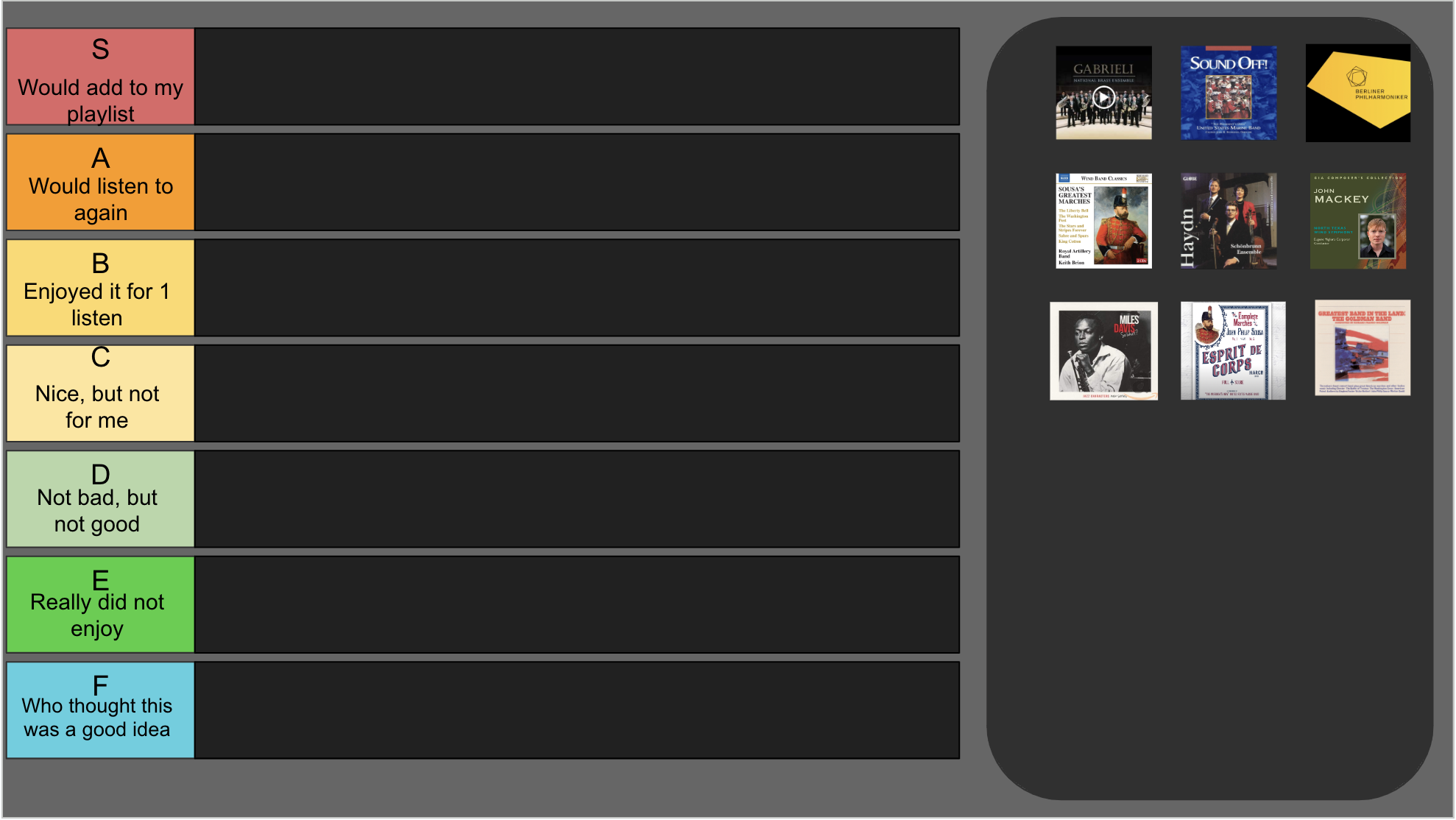
I decided to use Google Slides to create this assignment since it was integrated with their digital classroom in Schoology. Schoology would create a copy of the presentation for each student, then the students could submit the assignment directly to me. I could see the version history of their document, as well as the amount of time they spent on the assignment. This allowed me to get a sense of if they were actually clicking on the videos and listening to the pieces.
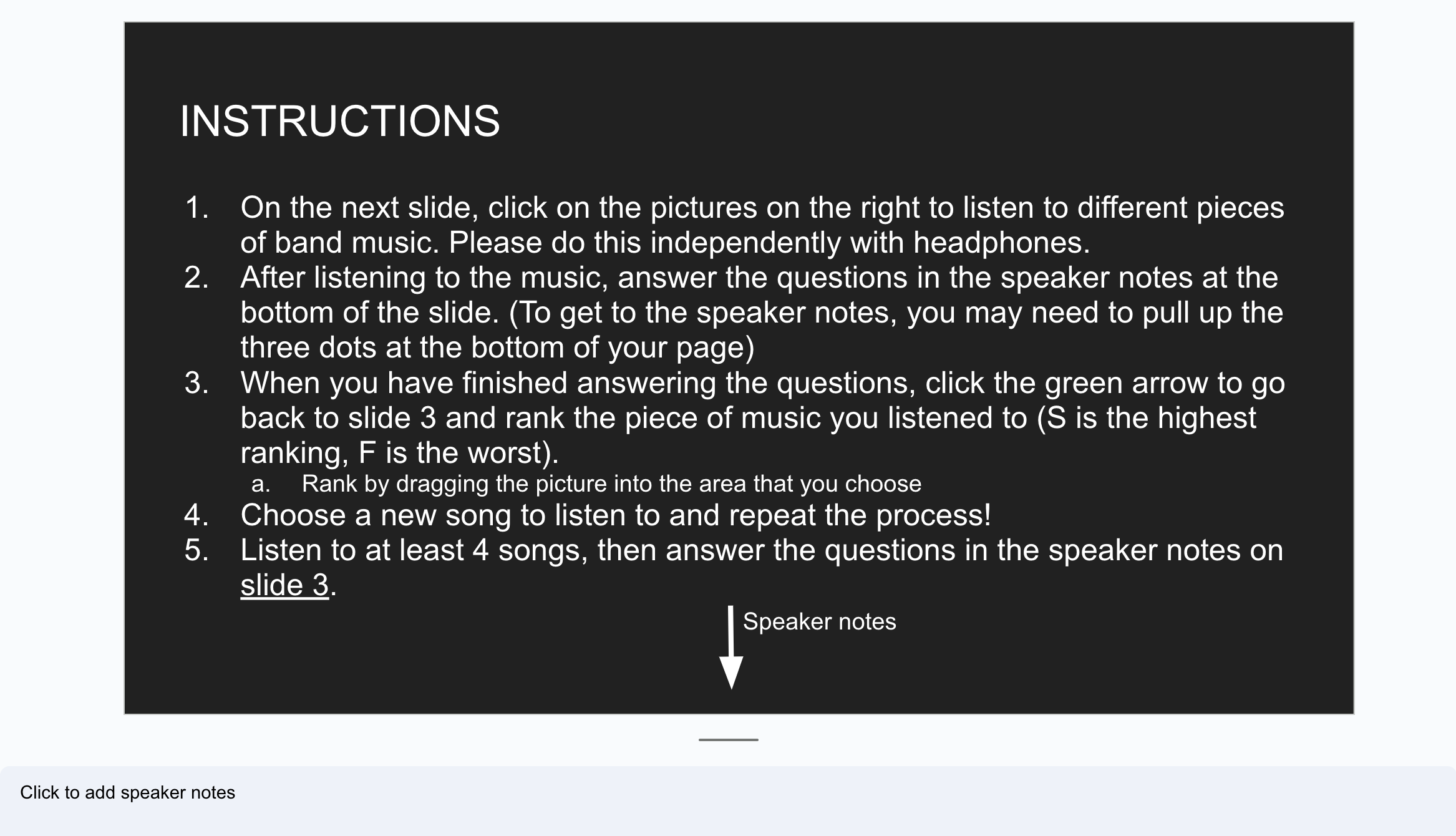
Through observing students using Google Slides, I noticed that the students often did not view the presentations in “present” mode. This observation gave me the idea to incorporate questions into the speaker notes of each slide since they would always be visible to the students. This held the students more accountable and got them thinking more deeply about what they were hearing in the music.
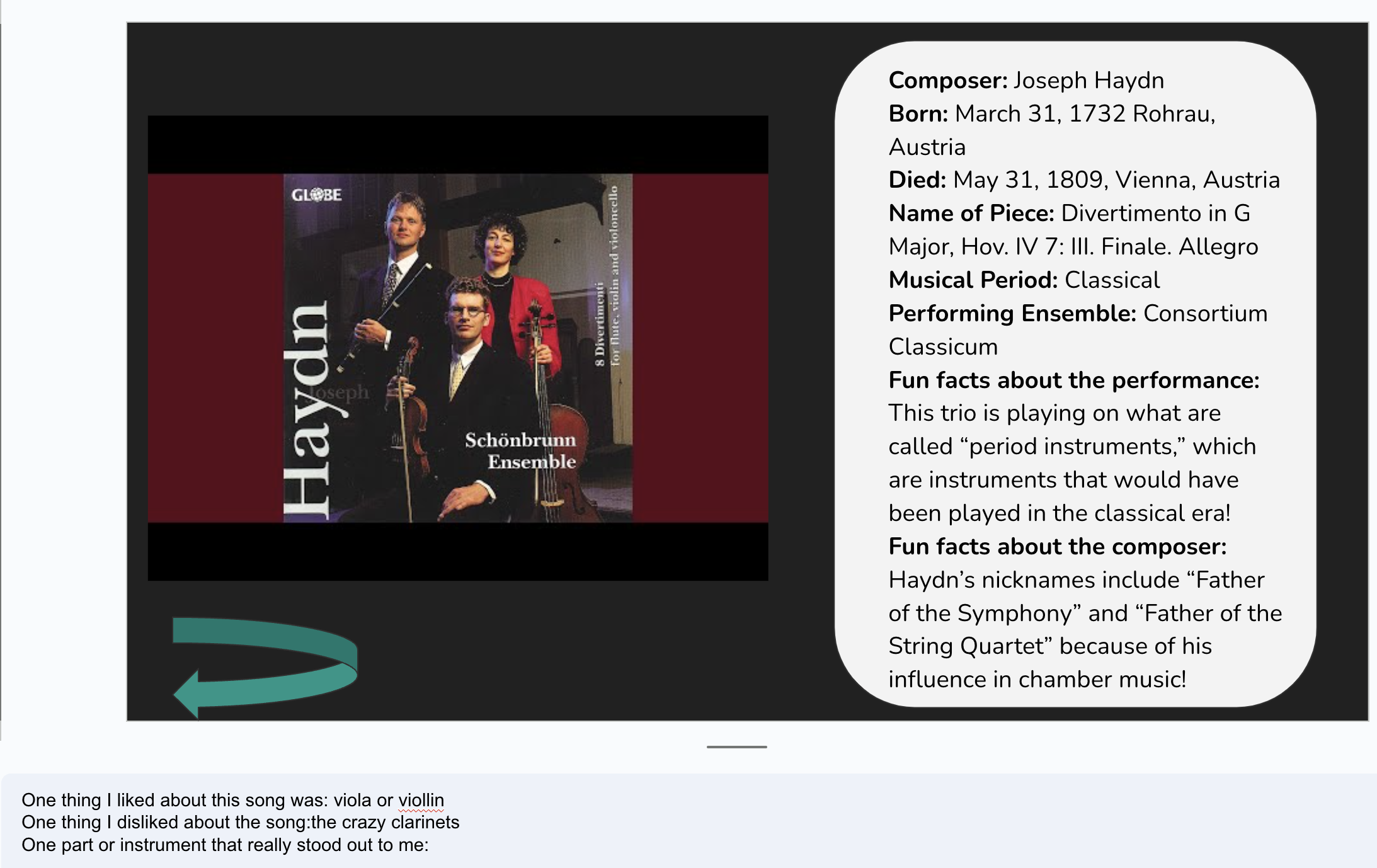 Answers are from a 6th grade student
On each slide with the music, I decided to list some fun facts about the music and the composer. I hoped that students would read the overview while they listened to the piece. This would encourage the students to stay on the page long enough to hear a little bit of the music.
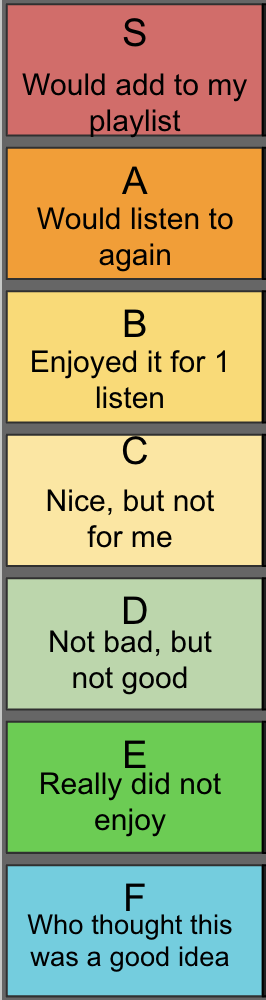
One issue I ran into was that some students were unfamiliar with the tier list format and were confused by the letters on the side bar. Because of this, I decided to add descriptions to each tier so that the students could sort the pieces more easily.
This is one of my favorite assignments I created. I loved it because:
- It could expose students to important pieces of music history that we did not have time to listen to as a class
- It was expandable — I could easily make more slides and add them to the list
- Students could save it to their Google Drive and continue to work on it if I needed an extra assignment for them to complete
My Personal Soundtrack
One of my goals as a music educator was to get students to think about what role music plays in their life. I’ve done this in the past by creating class playlists, asking questions through worksheets and surveys, and talking about music with students in person. These methods often were disappointing for me, as students would often rush through the assignment or not complete the assignment, which was boring for me to grade.
After having success with the Tier List assignment format in Google Slides, I decided to have students create their own playlist in Google Slides. I was hoping a more visual format with only one prompt per slide would force students to think about the assignment one step at a time and spend time on each slide.
Through this assignment, students had to think about how music impacted their life in different ways. I gave students nine prompts, then they had to choose a song that answered the prompt. The prompts asked students to choose a song that…
- Makes you happy
- Reminds you of your (younger) childhood
- You think your best friend would like
- You think someone in your family would like
- Reminds you of summertime
- Makes you feel an emotion other than happy
- Makes you want to move
- Makes you want to fall asleep
- You think Ms. Isaac would like
- Ask someone in the class what their favorite song is. Write their name and put the song on their slide
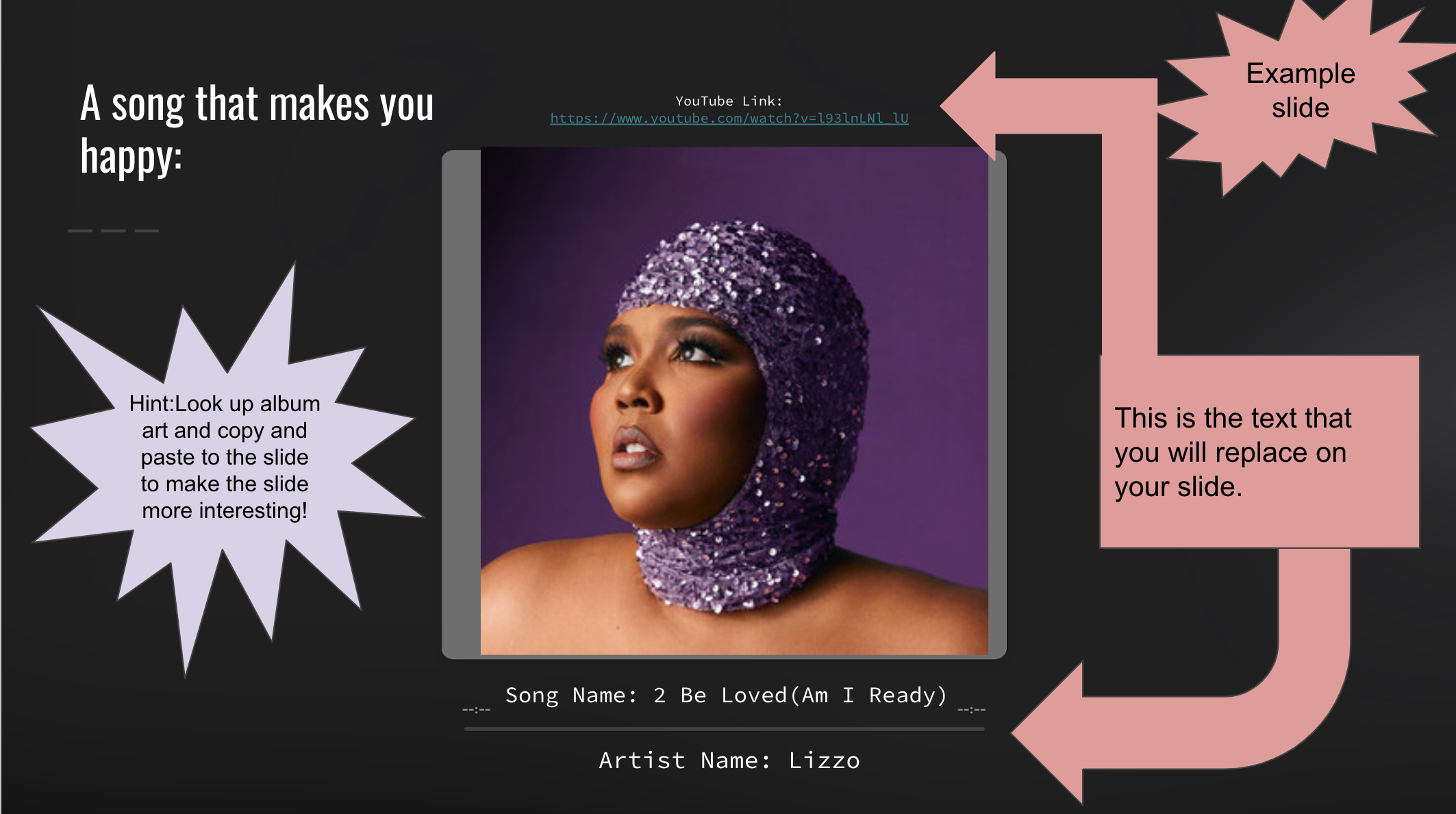
I designed each slide to look a bit like Apple Music’s interface. I wanted the slides to be simple and easy for the students to fill out so that they could focus on the prompt and selecting the song that answered it for them.
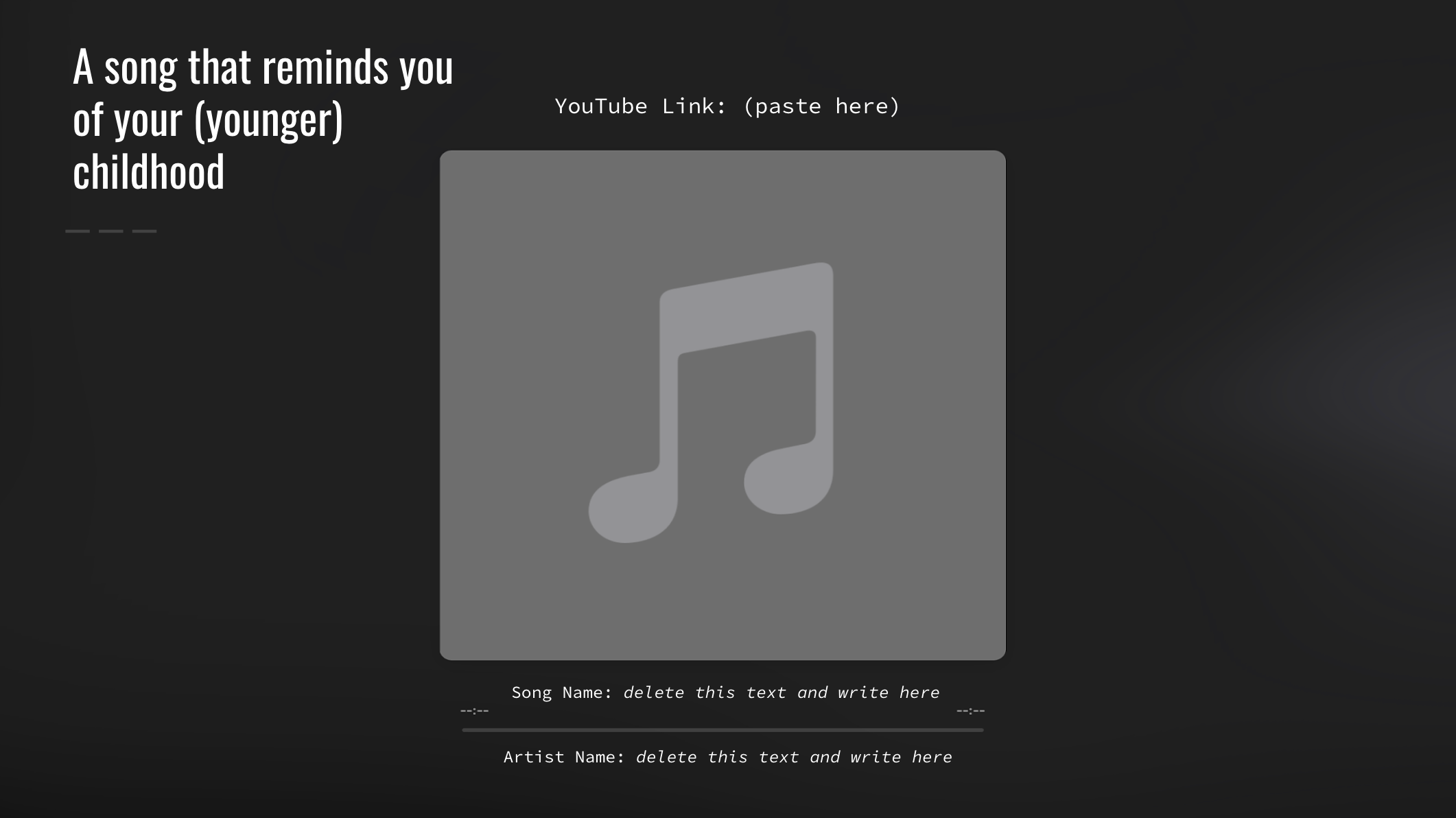 When I first assigned this, many students said “but I’m in my childhood!” So I added “younger” to encourage them to think back
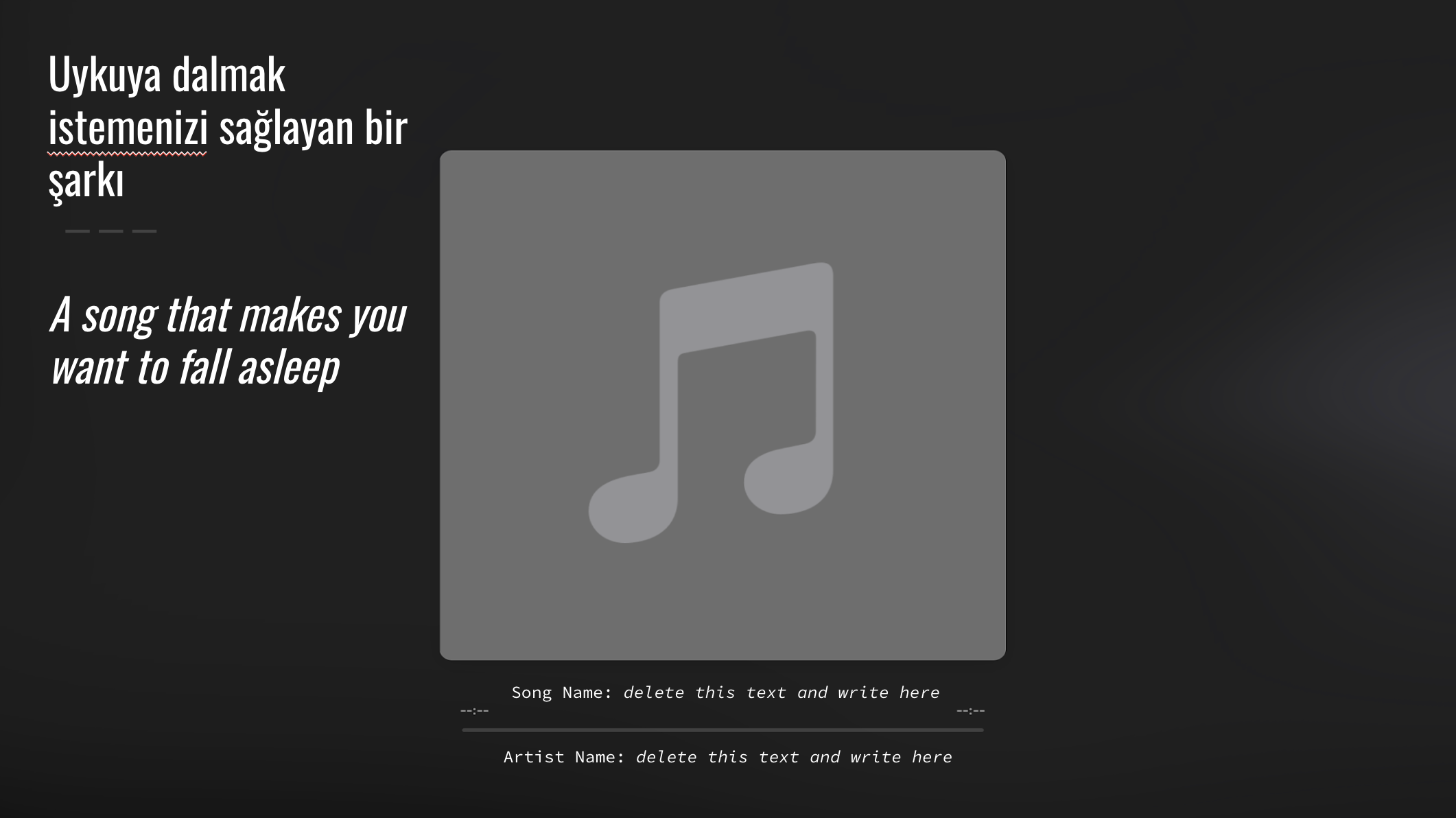
One edge case I had to account for was one of my classes that had students who only speak Turkish participating in the class. I decided to make a separate slide deck with Turkish translations. In Schoology, I could make assignments only visible to specific students, so I made the English version only available to my English speaking students, and the Turkish version available to my Turkish students. This prevented confusion of having two of the same assignment listed in Schoology.
I also decided to keep the English words on the slides in case the substitute teacher needed to assist the students but could not understand the Turkish prompts.
This assignment ended up being a major success; I got lots of great feedback from the kids talking about how they loved choosing their songs and talking to their classmates about music that is meaningful to them. I loved grading the assignment, and my substitute enjoyed spending time with my classes listening to music and learning about my students.
Exploring Careers in Instrumental Music
My final favorite that I will be including in this post is a slide deck where students can explore various careers in instrumental music. I found that many students were not aware of what ways you could be a professional musician playing the instruments they played in band class in the real world. One of my jobs as a middle school teacher was to expose students to different career opportunities and how what they did in band class could take place in the real world.
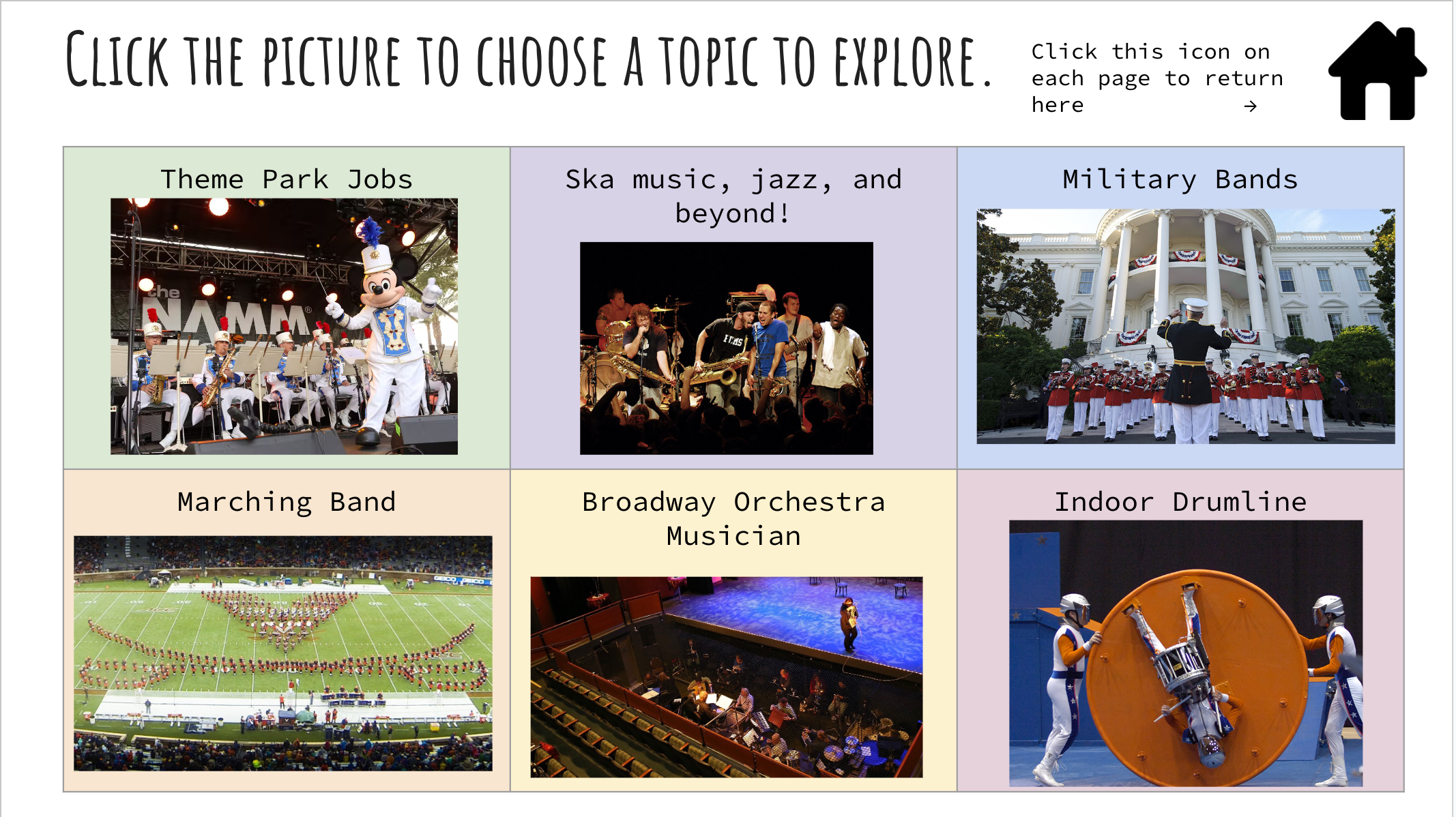
I decided that the main slide would have all of the options that students could explore with links to pages that allowed them to watch videos and dive further into the information. I now know that I was really considering the Information Architecture of this assignment, and decided to go with the Hub and Spoke pattern.
Each page was color coordinated to match the color backgrounds on the home page. Each page also included a home icon with a hyperlink that would easily bring them back to the home page.
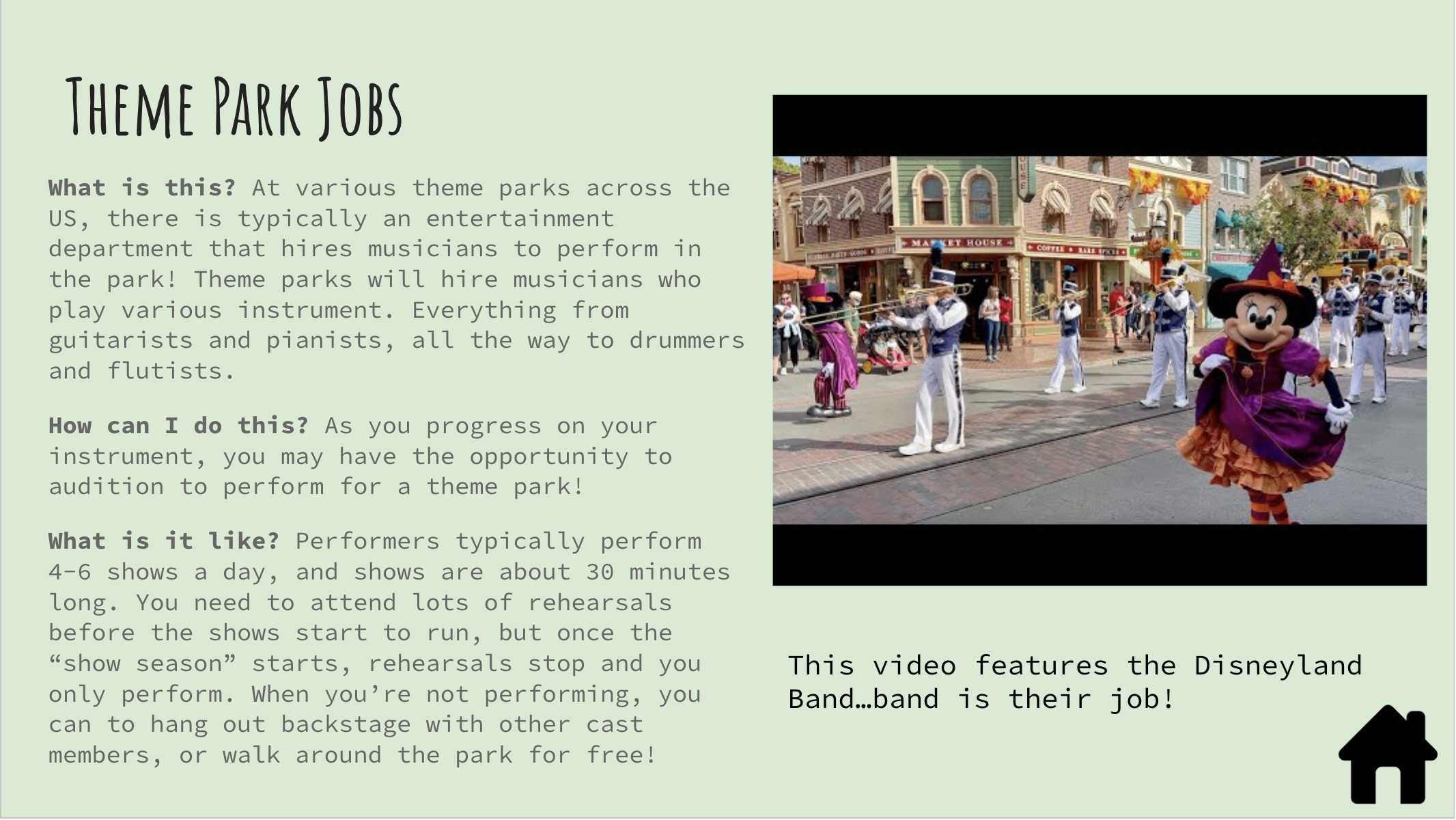
Students really enjoyed this assignment as well. Many students were excited about what opportunities were out there and were excited to learn more on their instrument to be able to participate in some of these careers someday.
Key Takeaways
Being absent as a teacher was so hard when I first started because my substitute lessons were not engaging enough to keep students busy for the whole period while I was out. Students were bored and not learning anything, the substitute teacher would have a bad day with behavior problems, and I was frustrated because I had spent time writing worksheets that many students did not complete or gave incomplete answers to. When I finally started thinking about what would be best for my students first, my substitute lessons became much more effective and enjoyable for all.
This journey from crafting substitute plans to discovering my love for UX design has taught me the importance of designing with empathy and creativity. These experiences have shaped my approach to UX, reminding me that at the heart of great design is a deep understanding of the people you’re designing for.
If you’re a teacher and are interested in using or adapting any of these materials, I’ve left “view only” copies of each below. If you decide to use them, let me know what you and your students think!