Building MOTIF: A Practice App for Musicians
How I designed and built MOTIF — a privacy-first Progressive Web App that helps student musicians structure their practice time, take notes, and track progress with a ring-based visualization.
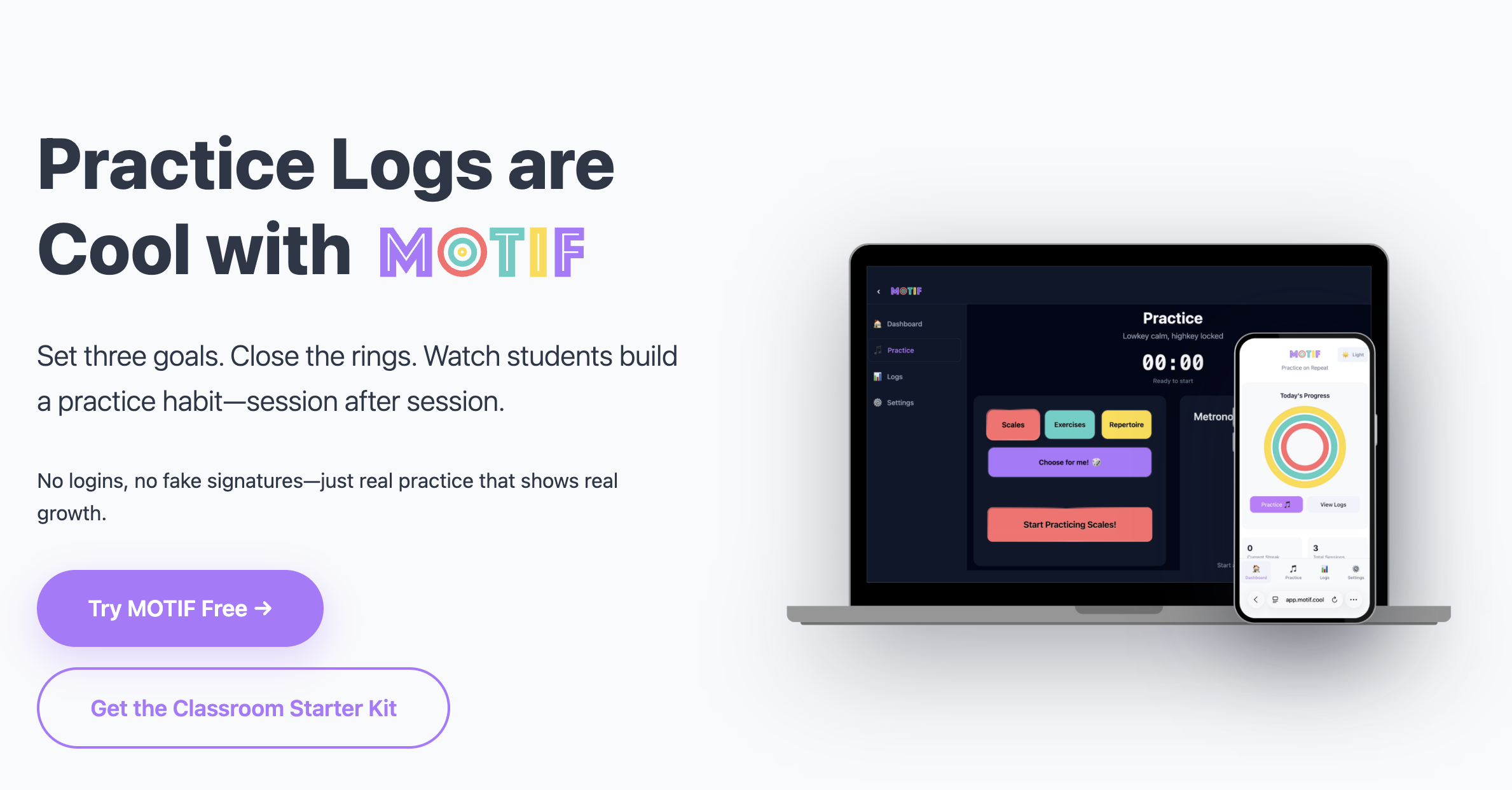
MOTIF is a web application built to make logging practice minutes more engaging and useful for musicians. Set three time goals for three different categories. See your progress when you close all three of your practice rings by achieving your time goal. Take notes during your session with the built-in notes section. Export your progress as a PDF to review your notes or turn them in to your teacher.
Why I Built It
As a student musician, I was practicing a lot — but I wasn’t filling out my practice logs. I often found myself filling in my times for the week all at once and having my mom sign off right before collection.
I was practicing, and my band director knew I was practicing because of my performance in class, so the assignment itself felt pointless.
As a teacher, I faced a similar struggle with collecting “practice minutes.” I wanted students to structure their practice time, but not feel like their whole practice session was spent writing or filling out a worksheet. Putting assignments on Google Classroom made it more distracting for kids if they had to switch between multiple tabs.
I came up with the idea for MOTIF during my time as a teacher. I wanted a simple application where students could easily structure their practice time, take notes, and use a metronome — all in one place.
Design Inspiration
The ring visualization is inspired by the activity rings on Apple Watch. I’ve always found that design compelling — three concentric rings that fill as you make progress toward your daily goals. It’s immediately readable: you either closed your rings today, or you didn’t. I wanted that same clarity for practice. Instead of tallying up numbers at the end of the week, students can see at a glance exactly how their session is going in real time.
Features
- Privacy-forward: All data is stored locally in the browser — no account required, nothing sent to a server
- Built-in metronome with tempo presets, subdivision, and tap tempo functionality
- Formatted notes section to capture all the details from a practice session
- Students can share their practice “rings” via colorful emoji summaries — perfect for Remind, Google Classroom, or fun classroom competitions
- Export single sessions or multiple sessions into one PDF to print and hand in or turn in online
- Works offline and can be installed to a phone or computer home screen — no app store required
Tech Specs
MOTIF is a Progressive Web App (PWA) built with modern web technologies. “Progressive Web App” means it lives in the browser but can be installed directly onto a phone or computer’s home screen without going through an app store. It works offline, and on school-managed devices it can be added without IT approval — which matters a lot in a classroom setting.
Frontend: React 19 with TypeScript The app is built with React, a widely-used framework for building user interfaces, and TypeScript for type safety. This makes the codebase more reliable and easier to extend as features are added.
Build Tool: Vite 7 Vite handles bundling the code for production. It makes development faster and generates an optimized build with a small file size for end users.
Styling: Tailwind CSS v4 A utility-first CSS framework that made it straightforward to build a responsive, mobile-first design. Most students are using this on a phone or Chromebook, so mobile layout was a priority from the start.
Metronome: Web Audio API The built-in metronome uses the browser’s native Web Audio API for precise, low-latency timing — no external sound libraries needed. This keeps the app lightweight and the timing accurate to within milliseconds.
Data Storage: LocalStorage with lz-string compression All practice data is stored directly in the user’s browser — no account, no server, no cloud. Data is compressed using lz-string so the storage footprint stays small even after months of practice history.
PDF Export: jsPDF PDF generation happens entirely in the browser. No data ever leaves the device to create an export — the file is generated and downloaded client-side. This was important for keeping the app truly privacy-forward.
Analytics: Chart.js Practice history and statistics are visualized using Chart.js, rendered directly in the browser without any external data calls.
Deployment: Netlify The app is deployed to Netlify with continuous deployment from the main branch. Netlify also handles the HTTPS requirement that PWAs need to function correctly.
What I Learned
This was my first time building and shipping a full Progressive Web App, and a few things stood out.
The trickiest technical problem was making the session timer survive across page refreshes and tab switches — something native apps handle automatically, but the web does not. I solved this using the Page Visibility API to detect when a user leaves and returns to the tab, saving session state to LocalStorage so nothing is lost if the browser closes mid-session.
Designing for a real user — not a hypothetical one — also shaped the product in unexpected ways. Features I assumed would be important (like highly customizable categories) ended up mattering much less than things I underestimated, like how the rings look mid-session on a small phone screen, or how easy it is to start a new session with one tap.
Building privacy-first from the beginning simplified a lot of decisions. Without user accounts or a backend, there’s no authentication to manage, no server costs, and no data security risk. That constraint made the app faster to ship, cheaper to run, and — I think — easier for students and parents to trust.
You can try MOTIF at motif.cool.