How Apple's Focus Modes Make Me Feel Like a Designer
How I used Apple's Focus Modes to redesign my mornings and improve my productivity — and what it taught me about UX design thinking.
Although I am new to the design and tech space, I am pretty savvy when it comes to the world of Apple Products. I have been a huge, self-proclaimed “Apple nerd” since I got my first iPod Nano in 6th grade.
Like many of my millennial peers, I am on my phone constantly and am always looking for ways to use it more productively. In this post, I’ll show you how I’ve used Apple’s Focus Modes to redesign my mornings and improve my productivity.
How Can We Make Our Devices Work for Us?
This is what brings us to Focus Modes and UX. I am an emerging UX Designer, having studied the field for a few months now after deciding to leave my job as a teacher. In my early courses, I have learned that in UX Design, the user is always the focus, and we aim to solve problems that users have with design solutions. Apple’s Focus Modes are a design solution that solves an issue I have as a user, but the coolest part is that I get to take part in the design experience as well!
For those unfamiliar, Apple products have a feature called “Focus Modes,” where you can customize your device’s notification settings and appearance based on what Focus Mode you have set. These Focus Modes are particularly useful because they sync across all your Apple devices. You can trigger these Focus Modes manually, or have them automatically activate based on the time, your location, or even by opening a specific app.
Creating a Mindful Morning Routine with Focus Modes
A typical work morning for me generally looked like getting out of bed, going to the restroom, then getting ready for the day. However, I always felt like I was running late no matter what time I got up. I didn’t realize until one morning that I was spending so much time mindlessly clearing my inbox and catching up on social media while “multitasking” using the restroom.
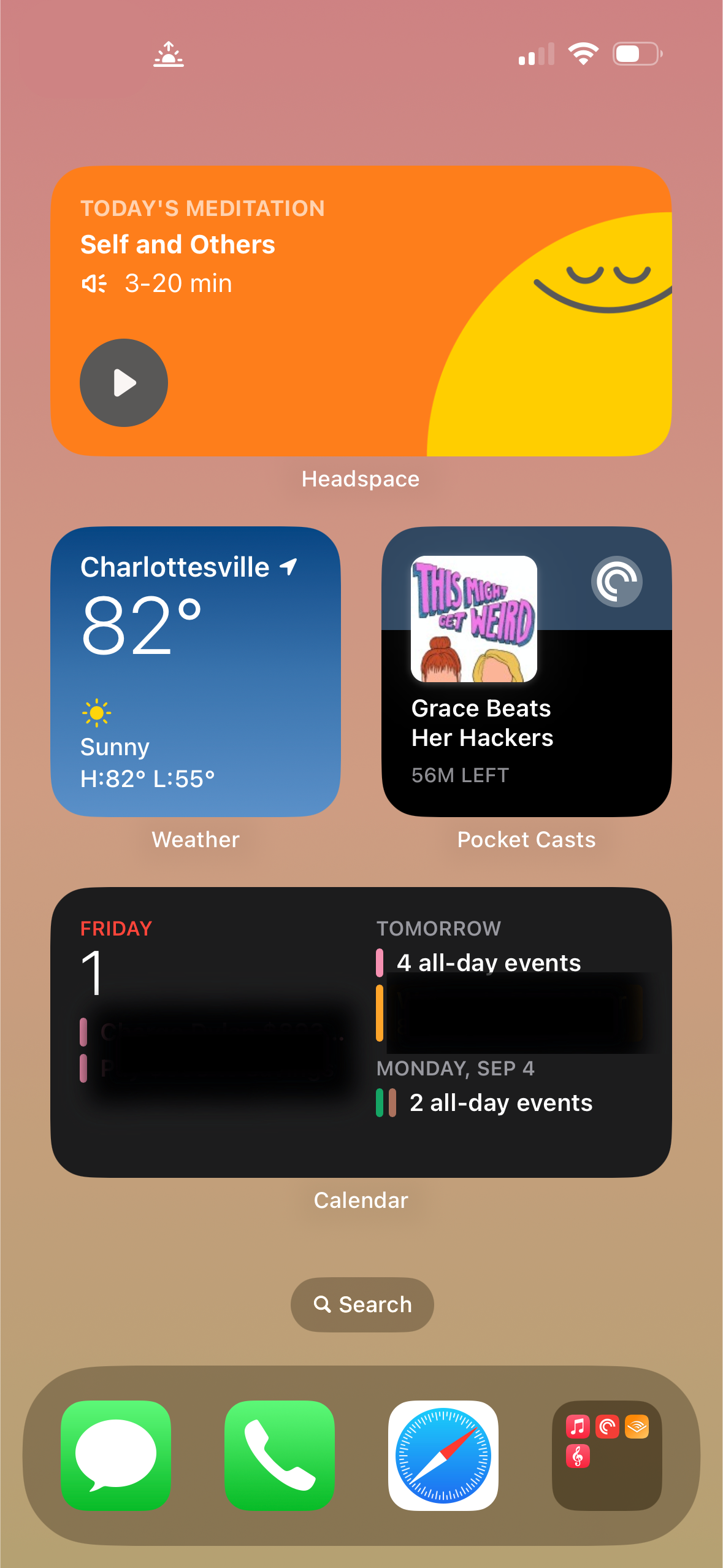
Knowing myself, I knew just not going on my phone was likely not going to happen first thing in the morning. So, I decided to create a “Good Morning” Focus Mode that would turn on automatically from 6 AM to 9 AM.
A Screenshot of my Morning Focus Mode
Designing My Morning Focus Mode
When creating my Focus Mode, I asked myself the following questions:
- What apps am I currently using in the morning?
- Which ones are helpful and which are distracting?
- What will help me feel relaxed and ready for the day?
- Are my notifications distracting or helpful?
These questions guided me to determine which apps I really wanted to use in the morning, and what layout would be the most pleasing to look at and easy to read.
I started with notification settings; I was fine with most notifications but specifically turned them off for the mail app, as that was a reason I was spending so much time on my email in the morning.
I then went to work on the home screen. Every morning, I check the weather, listen to a podcast, and check my events for the day. I decided that widgets would give me the ability to glance at the information without having to open the app. I decided to include the Headspace widget at the top of my screen to (hopefully) motivate me to meditate or practice mindfulness in the morning. Although I have not used the application as frequently as I originally intended, I love the peaceful look it has given my home screen.
Results and Takeaway
After a few weeks of use, I definitely noticed a huge improvement in how I was using my phone in the mornings. I found myself with more time to relax and use the distracting apps when I had time to fill before getting out the door. No more mindless scrolling on the toilet; now I just let my podcast fill the silence and complete my morning routine!
Endless World of Focus Modes
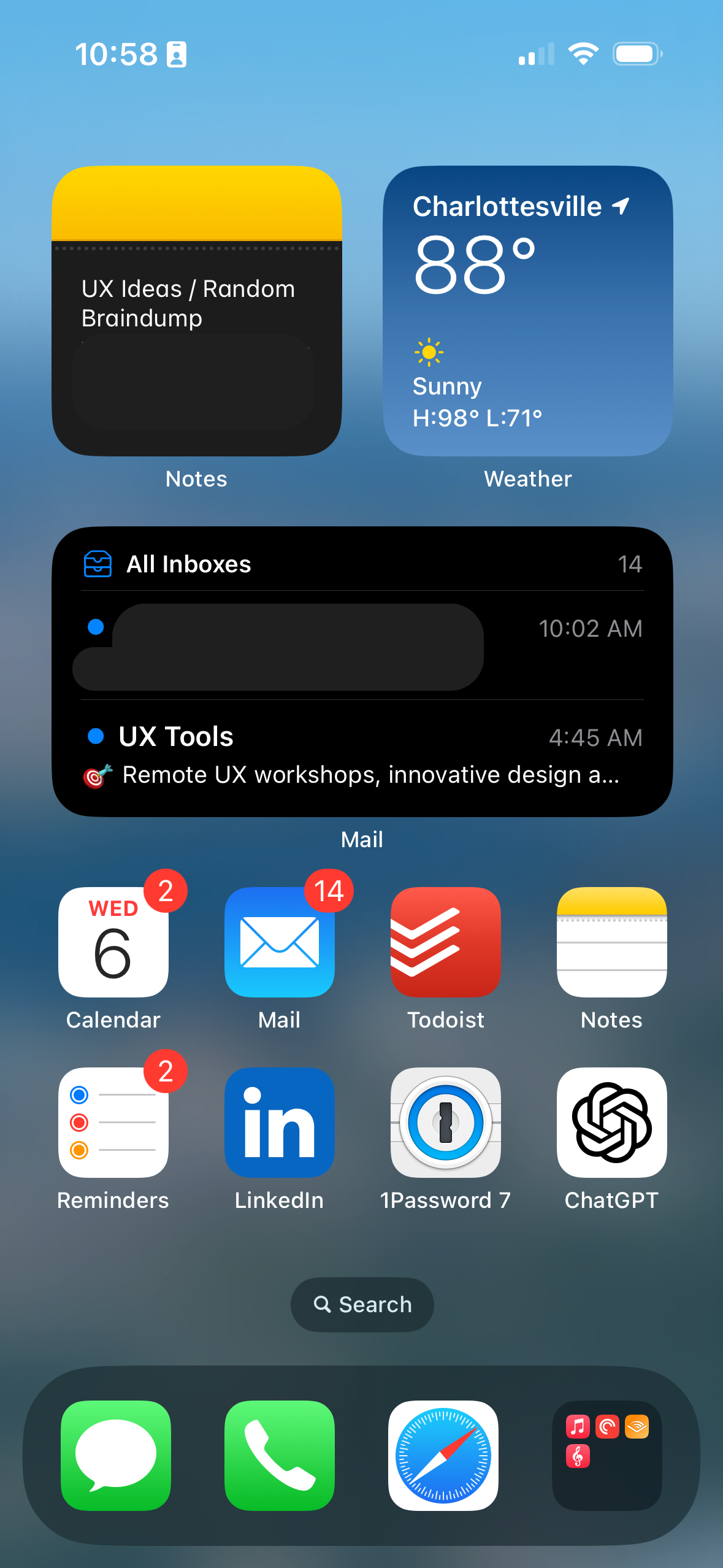 My Work Focus Mode
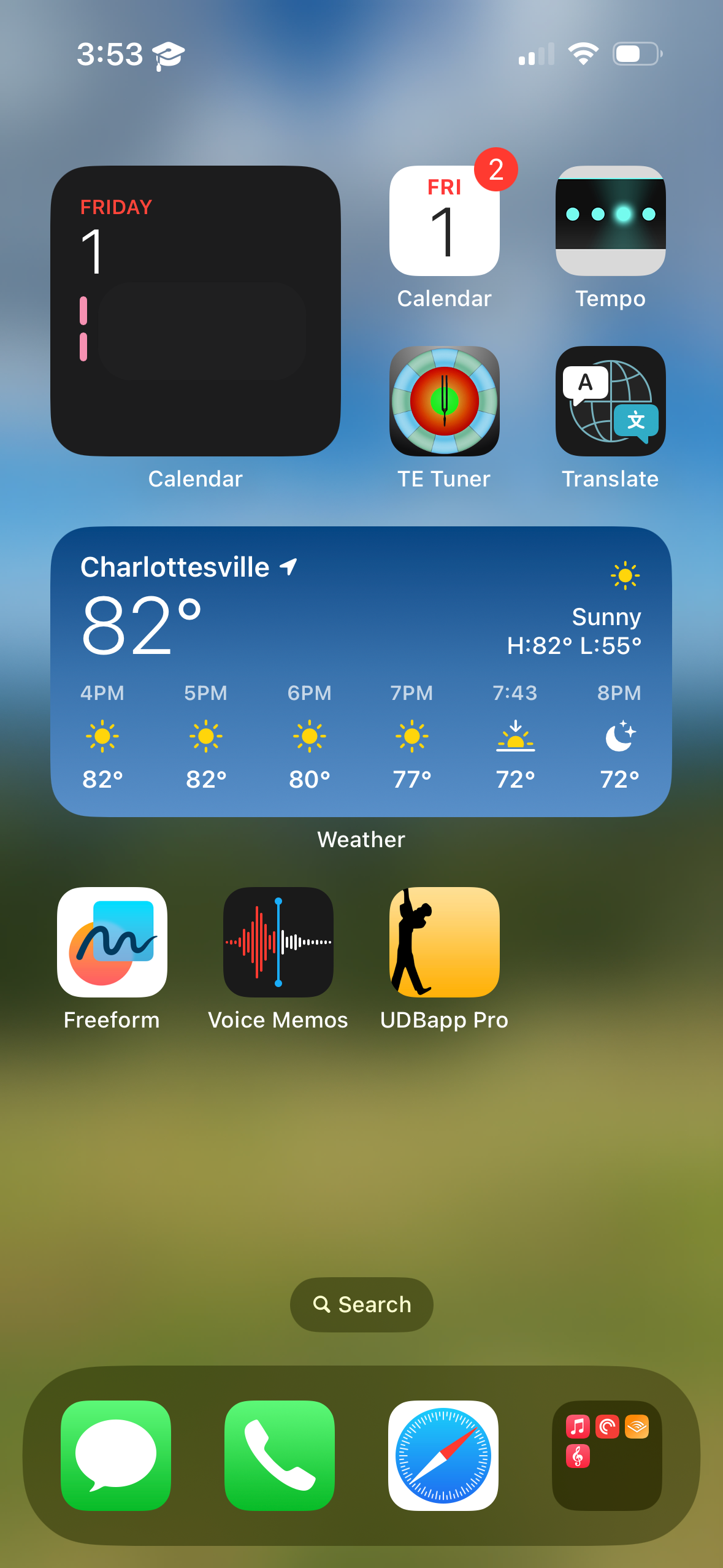 My Band Director Focus Mode
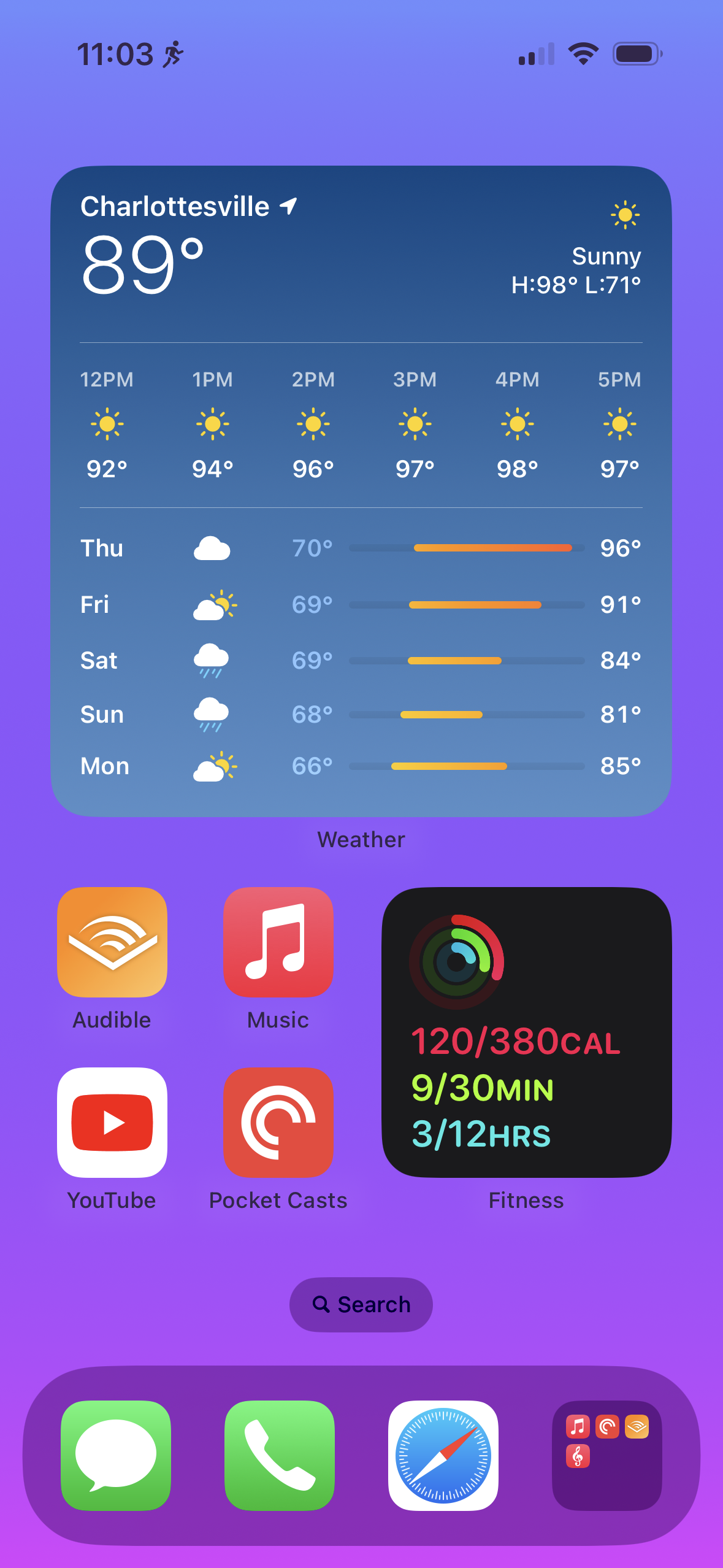 My Fitness Focus Mode (I’m an avid runner!)
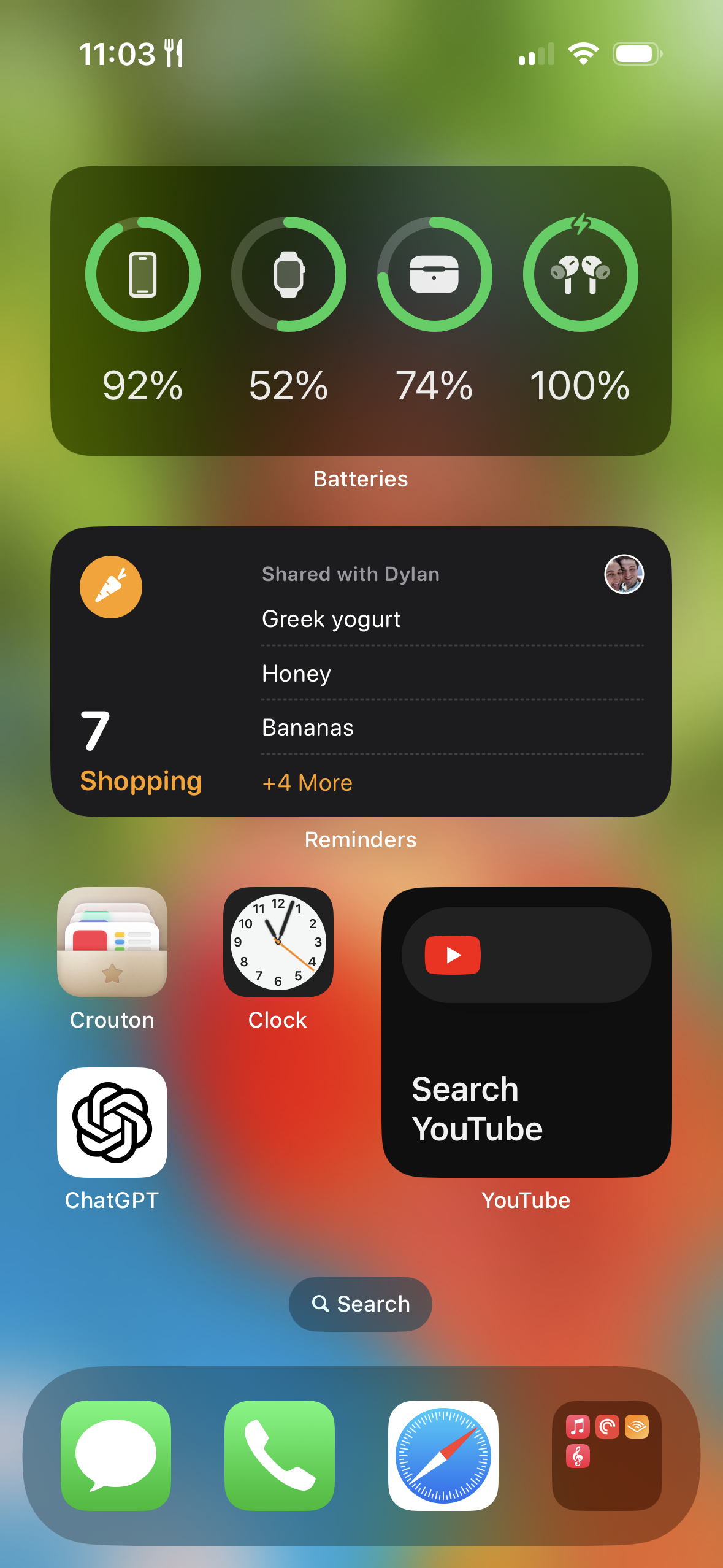 My Cooking Focus Mode
I have found myself creating Focus Modes for almost every scenario. If I’m going to be addicted to my phone, why not make it work for me? I have found creating these Focus Modes to feel like a fun design challenge for myself and encourage anyone to try them out and see what you think!
In summary, Apple’s Focus Modes offer a personalized design experience that helps solve practical life issues. If you’re looking for ways to make your tech more intentional, it’s worth exploring this feature. What are your experiences with making your devices work for you? Feel free to share your stories or tips in the comments below.